BeyondGTO for iPhone and iPad
Preflop to river, solved
Ranges and a solver in one app, across MTT, cash, Spins and heads-up. Pick a flop, solve to the river in seconds, lock nodes, edit bet sizes.

Free to download. No sign-up needed.
Pro has a 7-day free trial. Cancel anytime.

On your computer? Scan with your iPhone camera to get the app.
Every format
MTT, cash, Spin & Go, heads-up and the WSOP Main Event
Flop to river
Most solves ready in under a minute, then deal the turn and river
Your tree
Nodelock any hand and edit any bet size, then re-solve
Study: preflop ranges
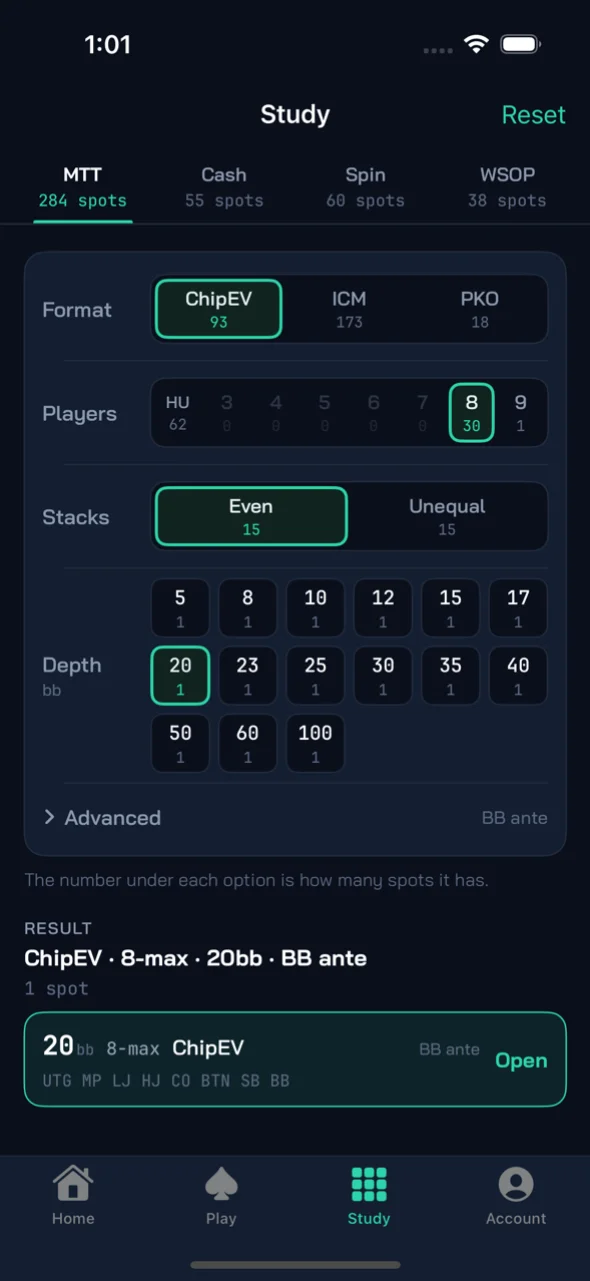
Every format, narrowed to your exact spot
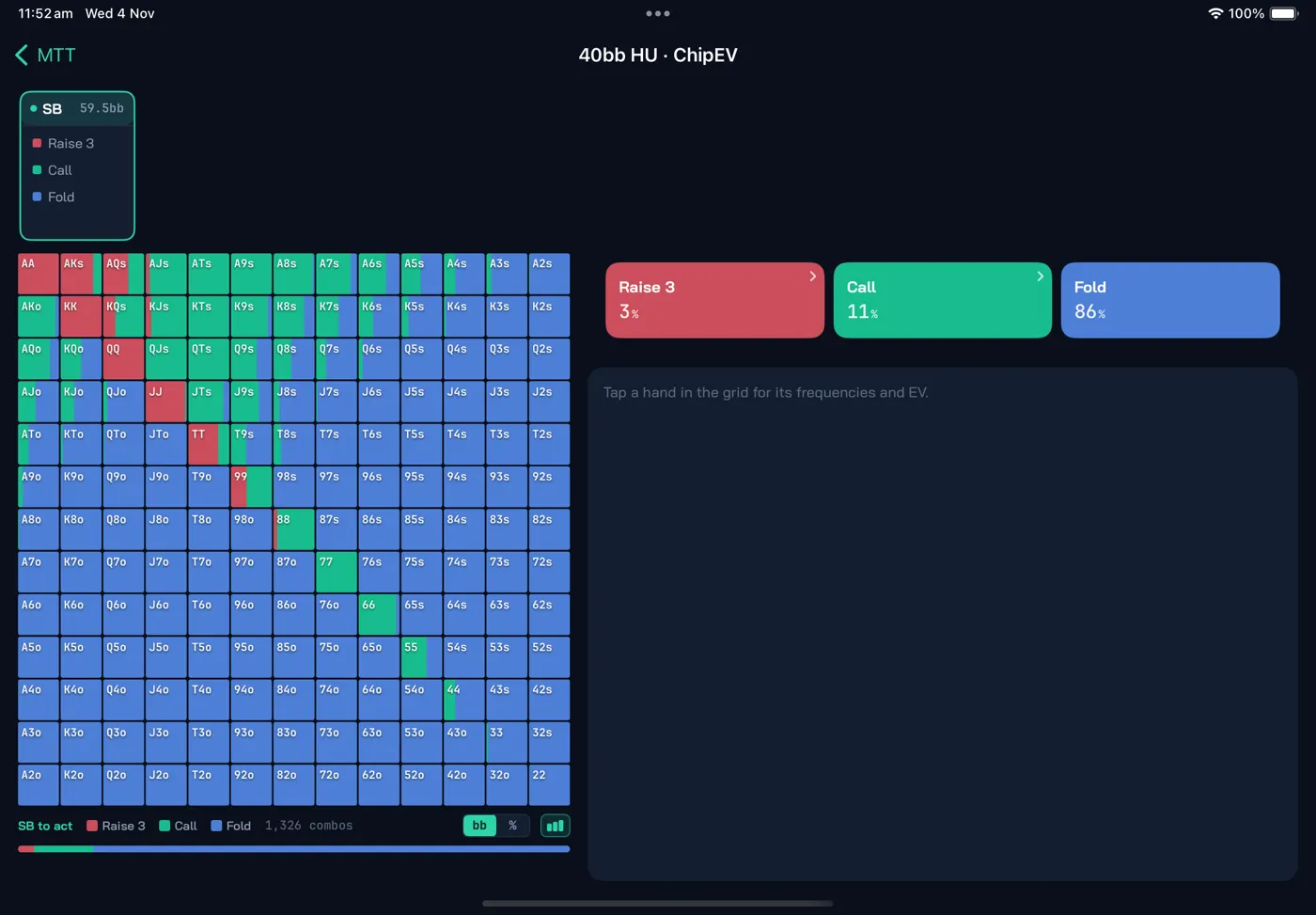
Spots across MTT (ChipEV, ICM and PKO), cash from NL50 to NL1K and live, Spin & Go, and the WSOP Main Event. Two to nine players, even and unequal stacks, many depths. A few taps take you to the spot you played.
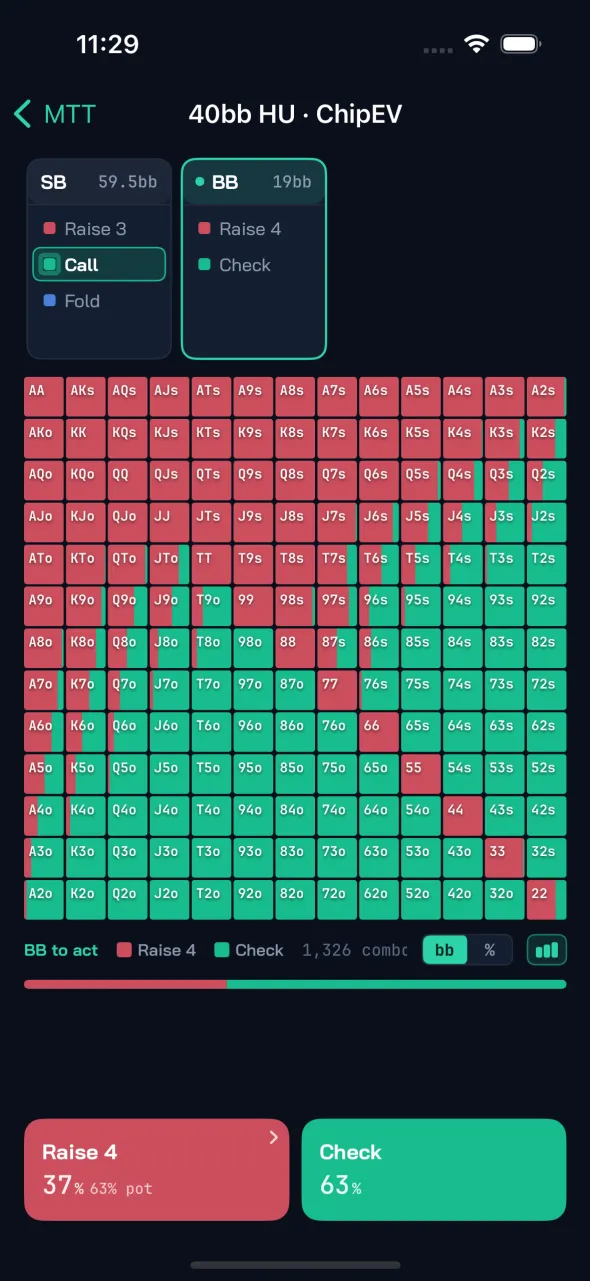
- ✓Walk any preflop line action by action on the 13x13 grid
- ✓Each cell is filled to the hand's weight, so you see how often a hand gets there as well as what it does
- ✓Sizes in bb or as a % of the pot
Flop to river
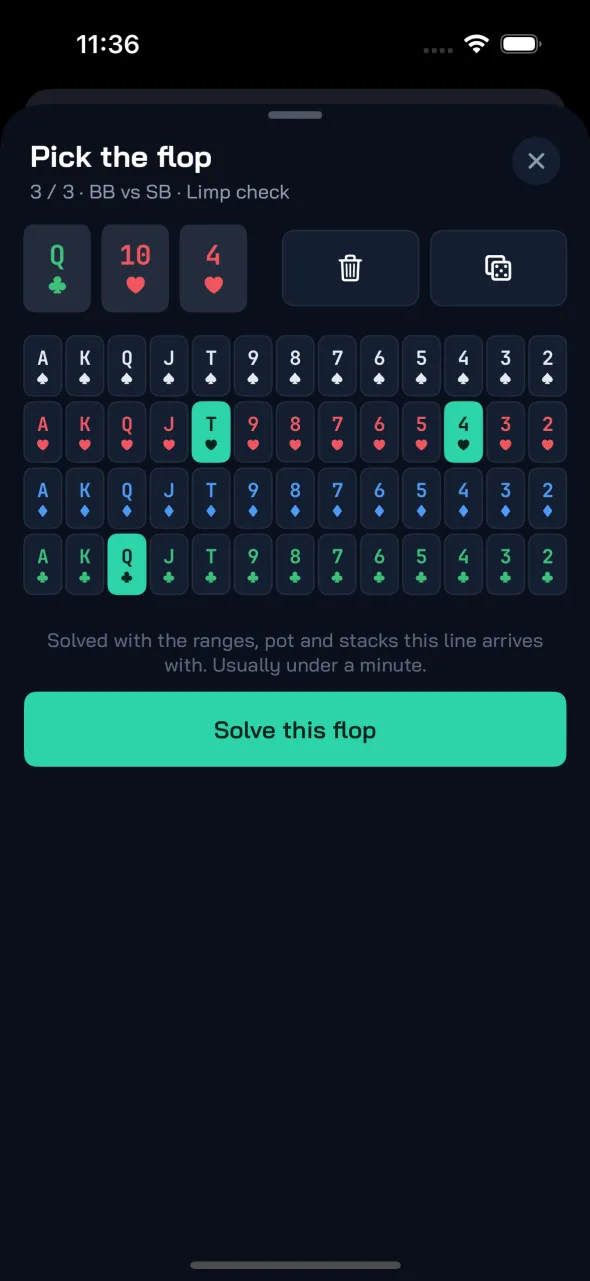
Pick a flop and solve it
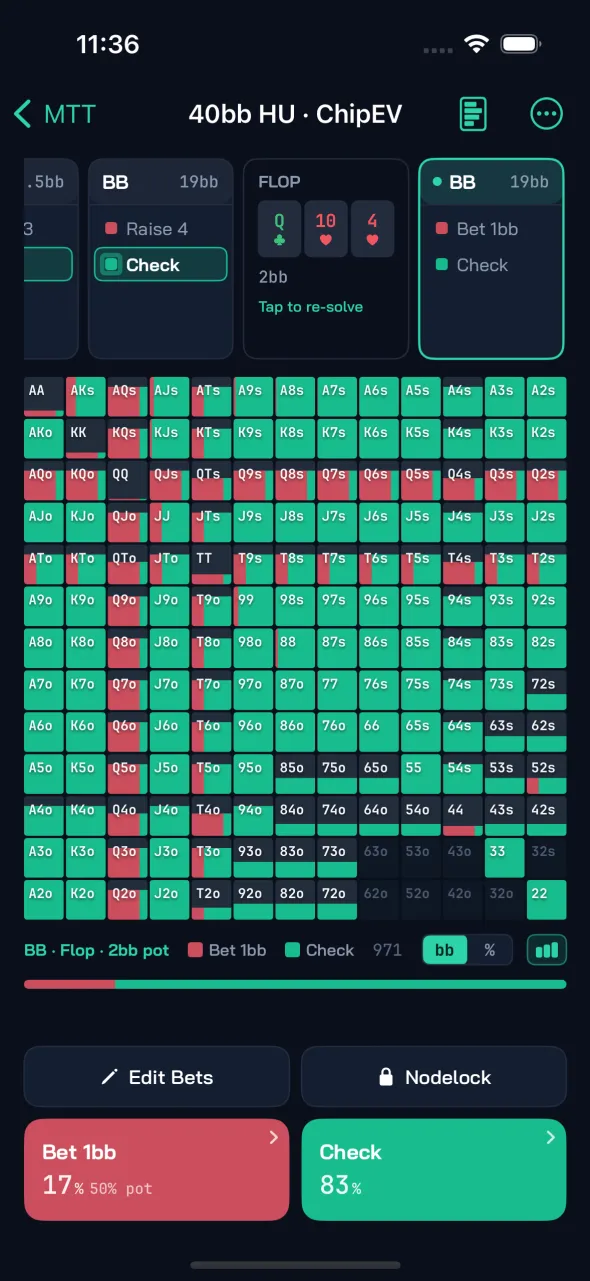
From any preflop line, choose the three cards or deal a random flop, then solve. Most solves are ready in under a minute. Deal the turn and the river and keep going, all on one page.
- ✓Solve the flop from any preflop line
- ✓Most solves ready in under a minute
- ✓Turn and river on the same page
Hand-level detail
See why, not just what
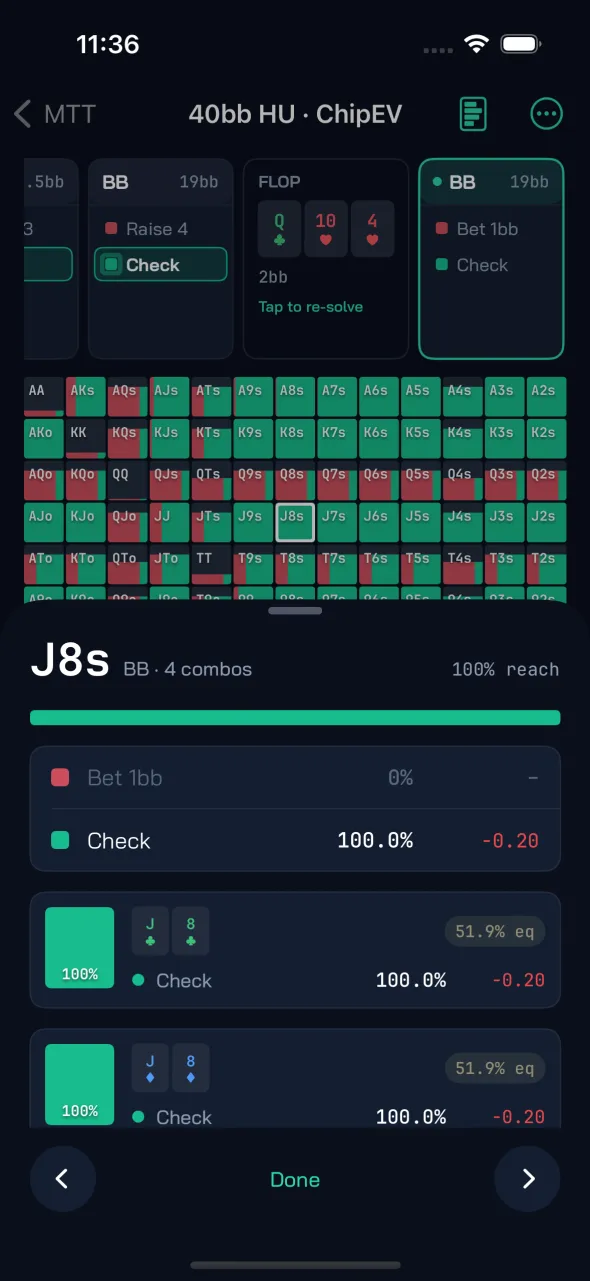
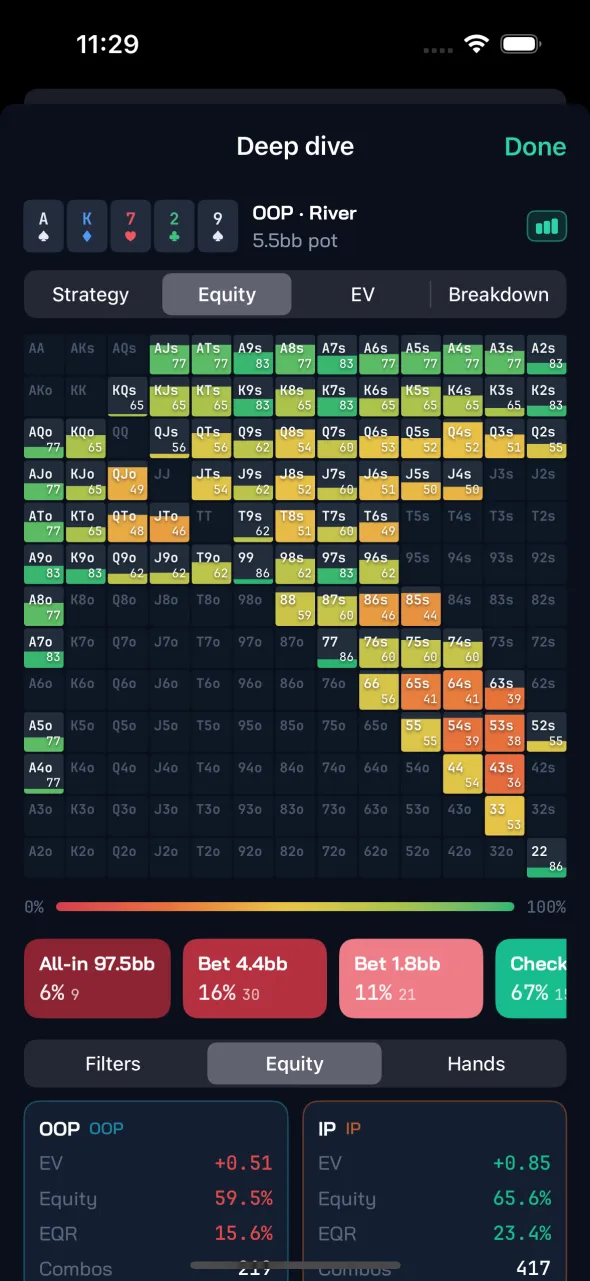
Tap any hand to see each combo with its reach, action mix, equity and EV. The deep dive turns the grid into Strategy, Equity, EV and a two-sided Breakdown, filters it by made hand and by draw, and draws the equity curves, with EV, equity and EQR for both players.
- ✓Per-combo reach, action mix, equity and EV
- ✓Filters by made hand and by draw
- ✓Equity curves and EQR for both players
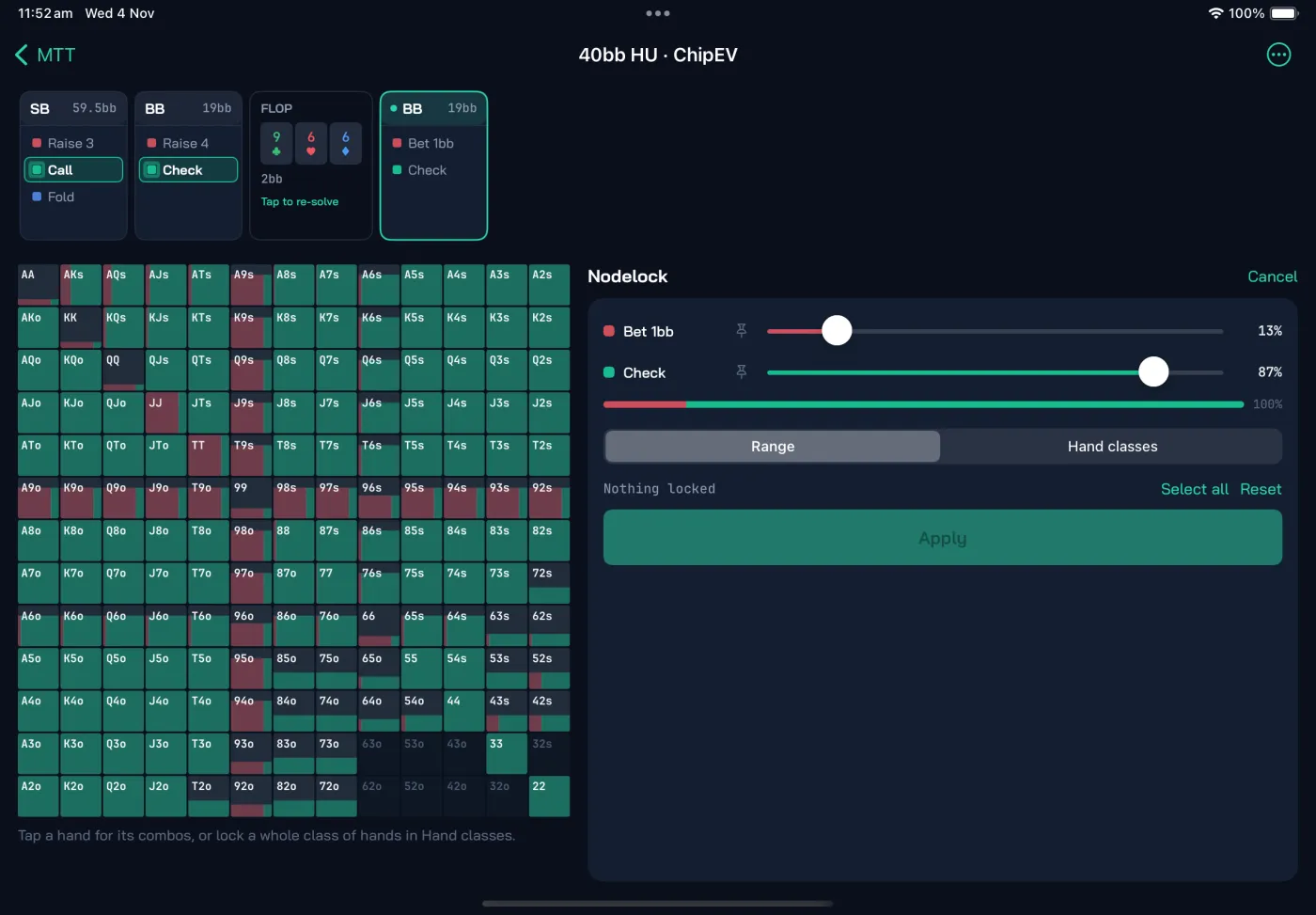
Nodelock
Lock a strategy, watch the other player adjust
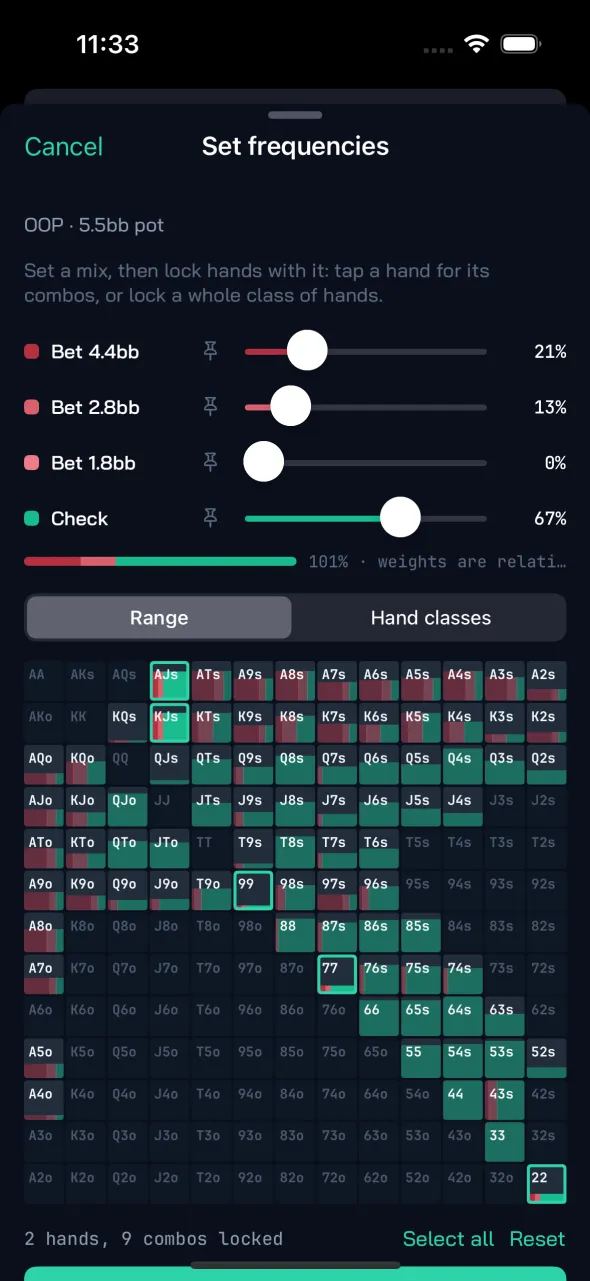
Paint a strategy onto hands, hand classes or single combos, then re-solve. You see how the other player's range responds to the way your opponents actually play, not just to equilibrium.
- ✓Lock hands, hand classes or single combos
- ✓Re-solve and see the response
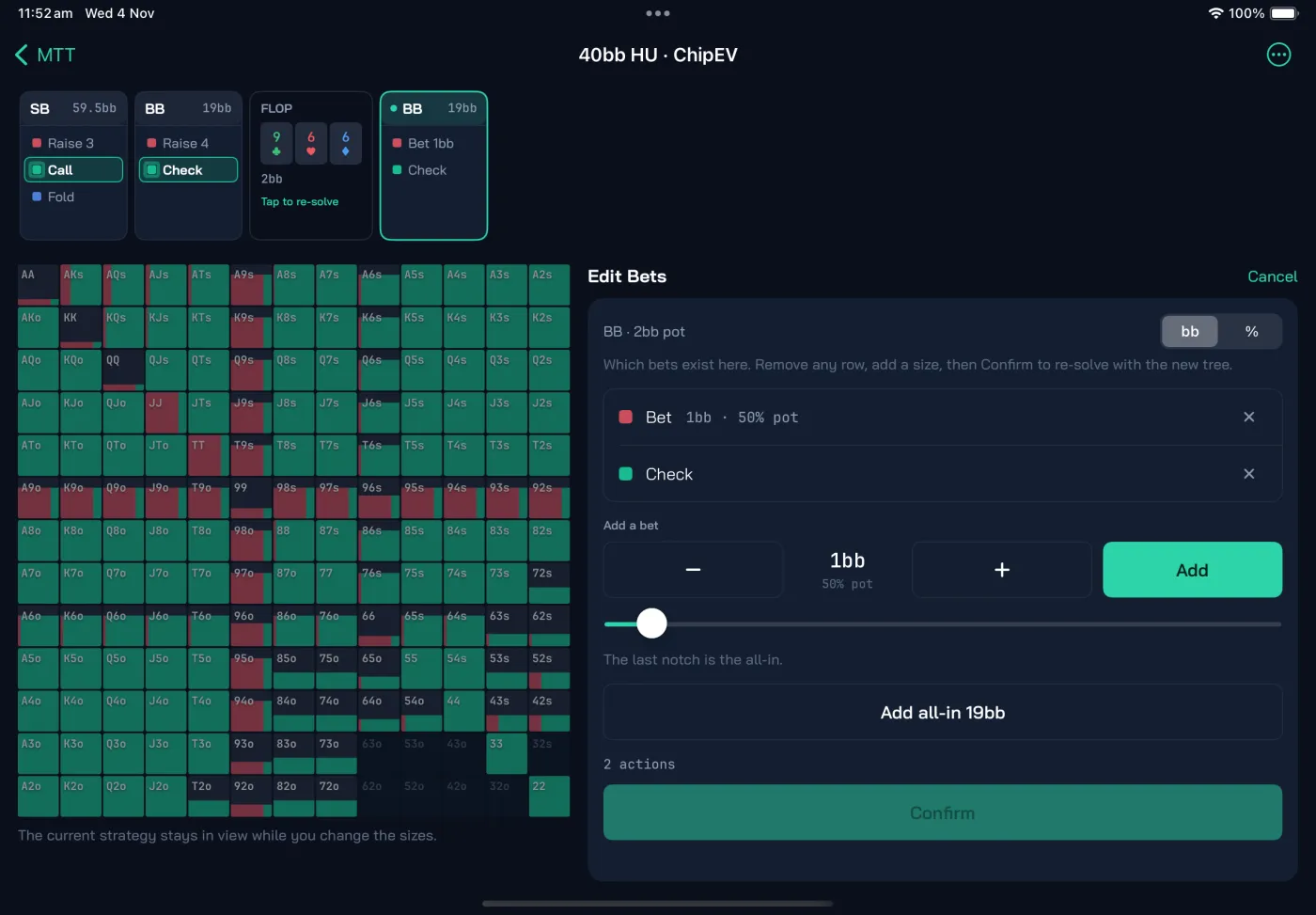
Edit Bets
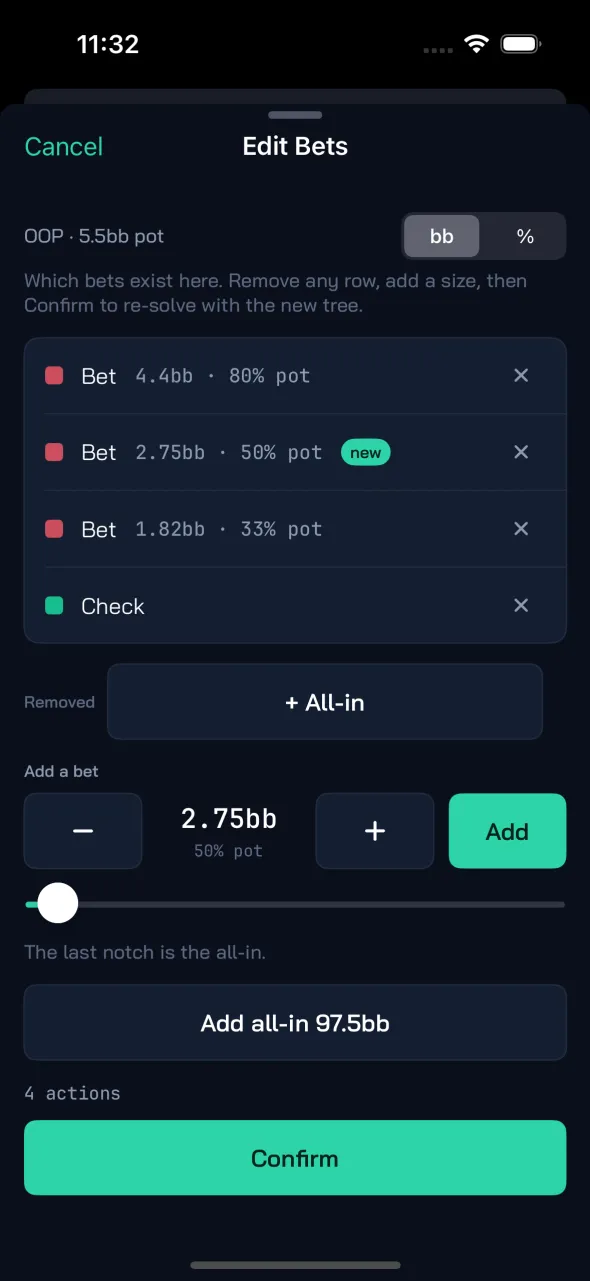
Your bet sizes, not a fixed tree
Add or remove sizes at any node, then re-solve with the new tree. Test the overbet you have been wondering about, or take away the size you never use.
- ✓Add or remove sizes at any node
- ✓Re-solve with the new tree
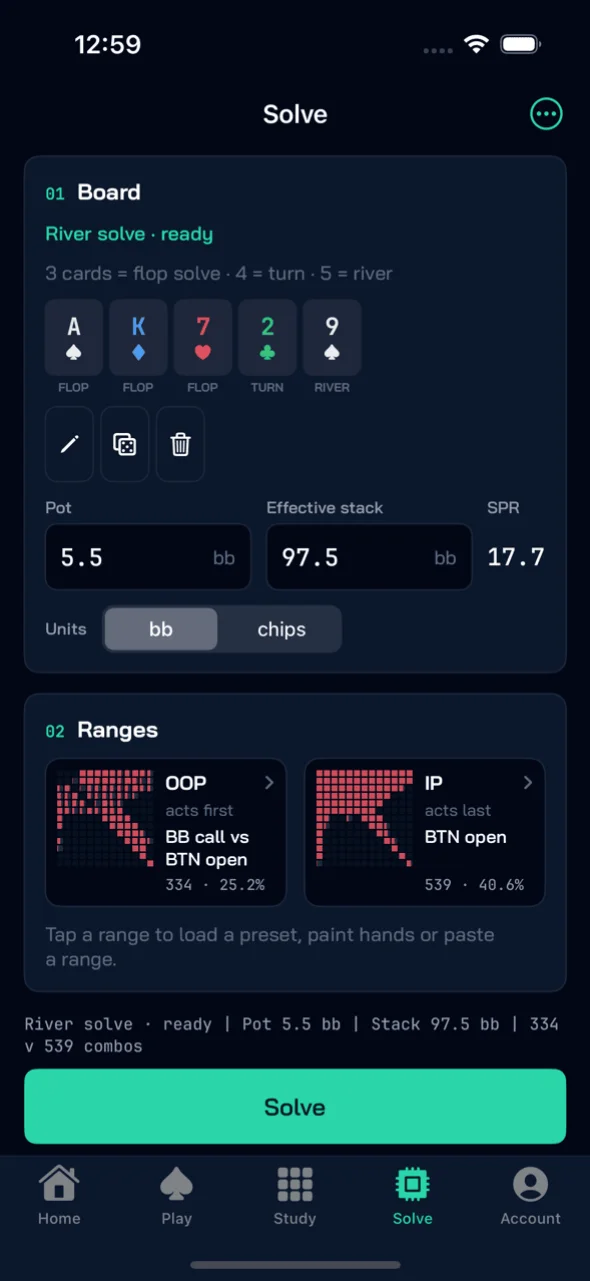
Solve
Any board, any ranges, your pot and stack
Solve a hand from your own game. Set the board, the pot and the stack, and go. Take ranges from presets, paint them on a grid or paste them as text. The betting tree is automatic by default, with advanced settings when you want them. Saved solves keep their names and colour tags.
- ✓Ranges from presets, a painted grid or pasted text
- ✓Automatic betting tree, optional advanced settings
- ✓Saved solves with names and colour tags
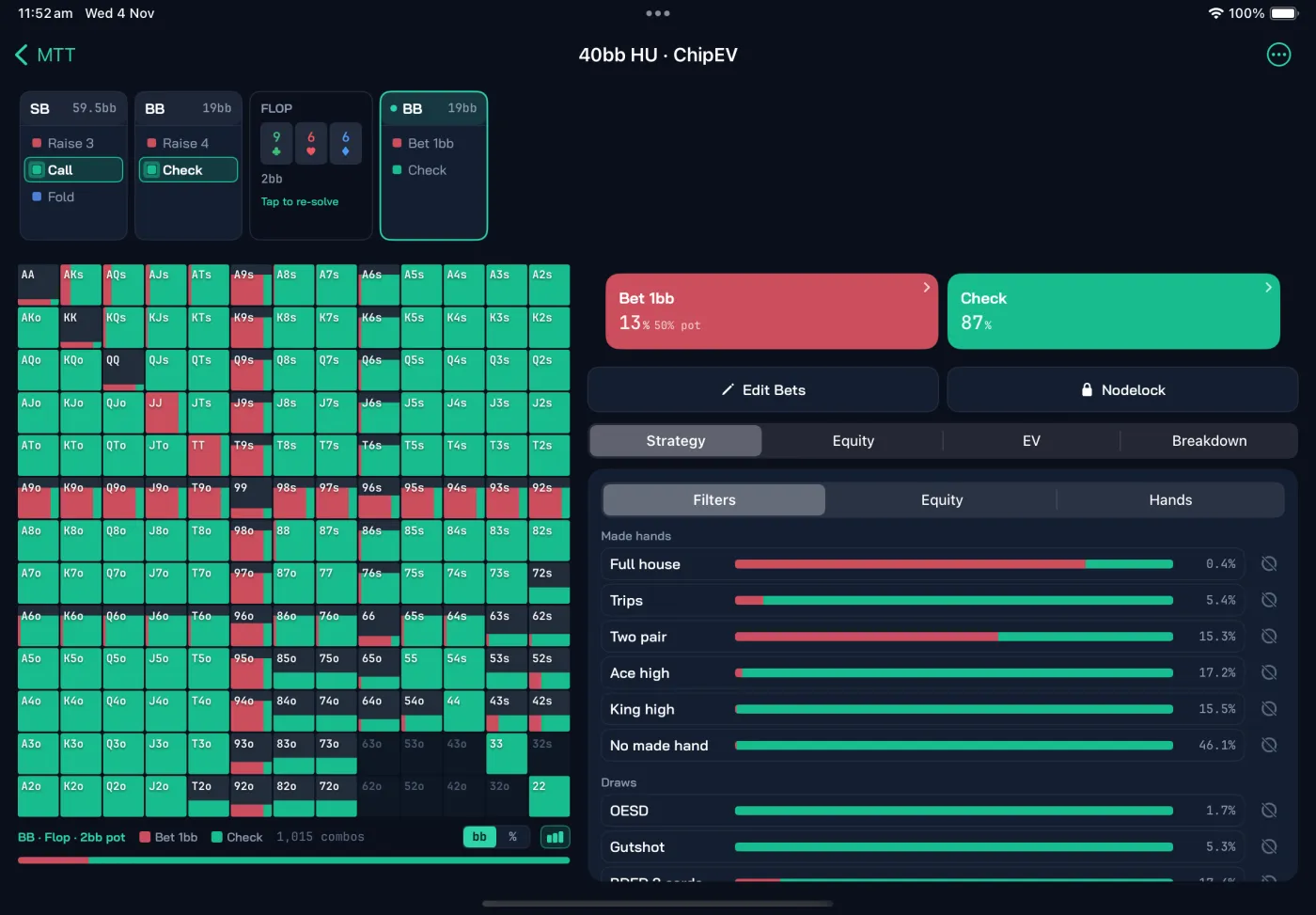
Built for iPad
The grid fills the screen
In landscape the strategy, deep dive, Nodelock and Edit Bets sit beside the grid. In portrait they sit below it. No pop-up sheets: everything stays on one page.
Free
Free to download
- ✓A free daily allowance of range lookups and solves
- ✓On iPhone and iPad
- ✓No account needed. Sign in only if you want to link the web app
Pro
Unlimited, with a 7-day free trial
- ✓Unlimited flop to river solves
- ✓Unlimited Nodelocks and bet-size edits
- ✓Unlimited range lookups
Monthly or yearly, in the app. The 7-day free trial is for eligible new subscribers. Cancel anytime. The App Store shows the price in your currency.
Support
Questions and help
Email [email protected] and include your device and iOS version. You can also ask in our Discord.
- Do I need an account?
- No. The whole app works without one. Signing in with Apple, Google or email is optional. Sign in to link the app to your BeyondGTO web account, so your Pro works in both places.
- What is free?
- The app is free to download, with a free daily allowance of range lookups and solves. The app shows what is left each day.
- What does Pro add?
- Unlimited flop to river solves, unlimited Nodelocks and bet-size edits, and unlimited range lookups. Pro is an in-app subscription, monthly or yearly, with a 7-day free trial for eligible new subscribers. The App Store shows the price in your currency.
- How do I cancel?
- Anytime, in your Apple ID subscription settings on your iPhone or iPad. Apple handles billing and renewals for subscriptions bought in the app.
- Does Pro from the web work in the app?
- Yes, once you sign in to that account in the app. Pro bought in the app works on the web for the BeyondGTO account the app is linked to.
- Which devices does it run on?
- iPhone and iPad with iOS 17 or later. On iPad the grid fills the screen and the tools sit beside it in landscape or below it in portrait.
- How do I delete my account?
- Delete your account in the app under Account. Need help? Contact [email protected].
- Something is wrong. Who do I tell?
- Email [email protected] with your device, iOS version and what happened. A screenshot helps. We read every message.
Terms of service · Privacy policy · Developer: Mobileroo
Study the spot you just played
Ranges for every format and a solver from flop to river, on the phone in your pocket.
Free to download. Pro has a 7-day free trial. Cancel anytime.